
Table of Contents
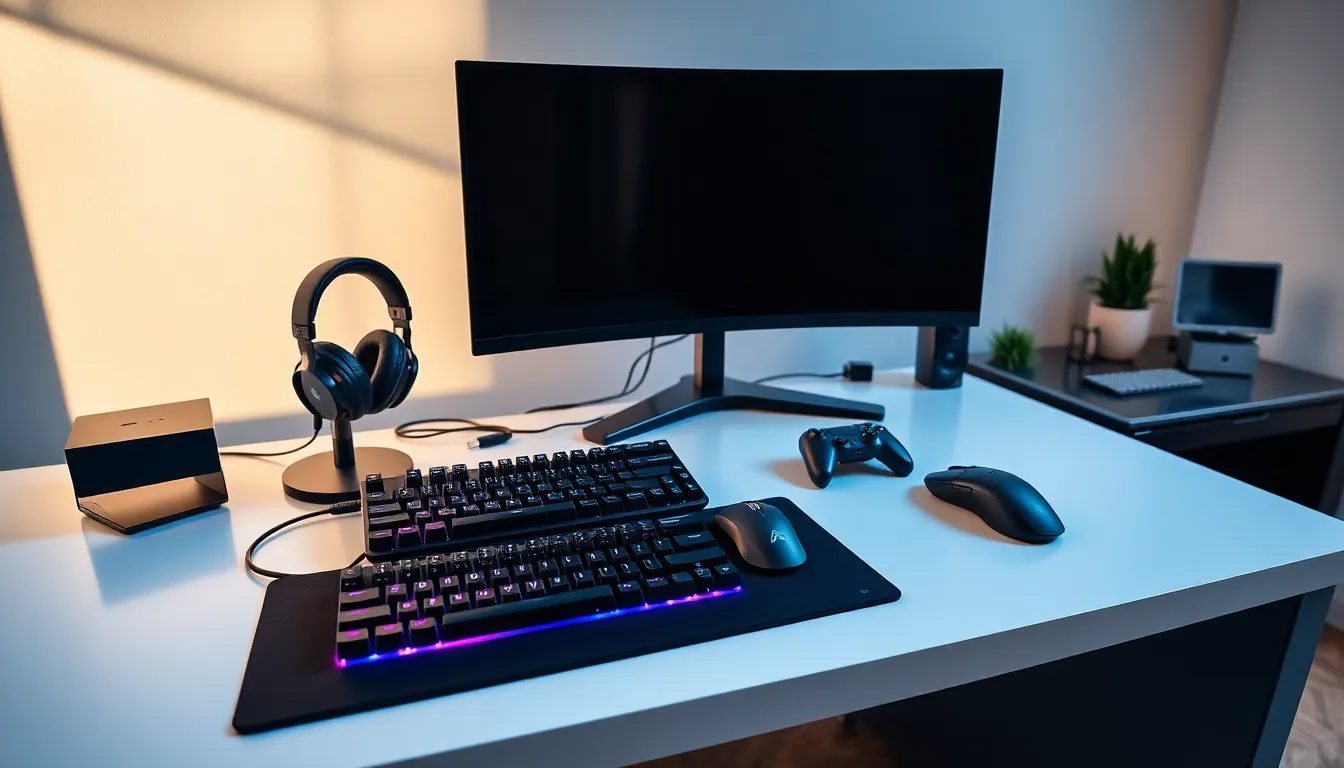
ToggleGaming accessories can transform an average setup into a competitive powerhouse. The right gear improves reaction times, delivers immersive audio, and provides comfort during marathon sessions. Whether someone plays on PC, console, or both, selecting quality peripherals makes a noticeable difference in performance and enjoyment.
This guide covers the most important gaming accessories every player should consider. From controllers and headsets to monitors and mechanical keyboards, each category plays a specific role in the overall experience. Understanding what each accessory offers helps gamers make smart purchasing decisions that match their play style and budget.
Key Takeaways
- Quality gaming accessories like headsets, monitors, and controllers significantly improve performance, reaction times, and overall gaming enjoyment.
- A 144Hz or higher refresh rate monitor creates noticeably smoother gameplay compared to standard 60Hz displays, making it essential for competitive players.
- Mechanical keyboards with linear or tactile switches offer superior responsiveness and durability for PC gaming.
- Wireless gaming accessories now deliver minimal input lag and long battery life, making them viable for competitive play.
- Prioritize upgrades based on your setup’s weak points—whether that’s audio quality, display smoothness, or ergonomic comfort.
- Research compatibility across platforms before purchasing to ensure your gaming accessories work with PC, PlayStation, or Xbox as needed.
Controllers and Input Devices
Controllers remain the primary gaming accessories for console players and many PC gamers who prefer gamepad controls. Modern controllers offer features like haptic feedback, adaptive triggers, and customizable button mapping. These features add depth to gameplay and give players more control over their experience.
The PlayStation DualSense and Xbox Wireless Controller lead the market in 2025. Both support Bluetooth connectivity and work across multiple platforms. Third-party options from brands like Scuf and Razer offer additional customization, including back paddles and adjustable trigger sensitivity.
Fight sticks and racing wheels represent specialized input devices for specific genres. Fighting game enthusiasts often prefer arcade-style sticks for precise inputs. Racing fans benefit from force feedback wheels that simulate real driving conditions. These gaming accessories cost more but deliver authentic experiences that standard controllers cannot match.
Wireless technology has improved significantly. Input lag is now minimal on quality wireless controllers, making them viable for competitive play. Battery life typically ranges from 20 to 40 hours depending on the model and features used.
Headsets and Audio Equipment
A quality headset ranks among the most impactful gaming accessories a player can own. Good audio provides competitive advantages by helping players hear footsteps, gunfire direction, and environmental cues. It also enhances immersion in story-driven games.
Wired headsets offer reliable performance without battery concerns. They typically provide better audio quality per dollar compared to wireless options. The HyperX Cloud series and Audio-Technica ATH-M50x remain popular choices for wired users.
Wireless gaming headsets have matured considerably. Models from SteelSeries, Logitech, and Sony deliver low-latency audio with battery life exceeding 20 hours. Some premium gaming accessories in this category support simultaneous Bluetooth and 2.4GHz connections, letting players take calls while gaming.
Surround sound capabilities vary between headsets. True surround sound uses multiple drivers per ear cup, while virtual surround sound simulates spatial audio through software processing. Both approaches help players locate sounds in 3D space. Many competitive players prefer stereo headsets with good imaging over simulated surround options.
Microphone quality matters for team communication. Built-in microphones on gaming headsets range from adequate to excellent. Players who stream or create content often pair headsets with dedicated USB microphones for better voice capture.
Monitors and Display Enhancements
Monitors directly affect how players see and react to games. Refresh rate, response time, and resolution are the three main specifications to consider when shopping for gaming accessories in this category.
Refresh rate measures how many times the screen updates per second. A 144Hz monitor displays 144 frames per second, creating smoother motion than standard 60Hz displays. Competitive players often choose 240Hz or 360Hz monitors to gain every possible advantage. The difference between 60Hz and 144Hz is immediately noticeable to most players.
Response time indicates how quickly pixels change color. Lower response times reduce motion blur and ghosting. Gaming monitors typically offer 1ms to 5ms response times. IPS panels provide better color accuracy but sometimes have slightly higher response times than TN panels.
Resolution affects visual clarity. 1080p remains popular for competitive gaming because it demands less GPU power, allowing higher frame rates. 1440p offers a nice balance between visual quality and performance. 4K gaming looks stunning but requires powerful hardware to maintain smooth frame rates.
Adaptive sync technologies like G-Sync and FreeSync eliminate screen tearing by synchronizing the monitor’s refresh rate with the GPU’s frame output. These features have become standard on most gaming monitors and represent essential gaming accessories for smooth visuals.
Keyboards and Mice for PC Gamers
Keyboards and mice serve as the primary gaming accessories for PC players. Mechanical keyboards dominate the gaming market due to their durability, responsiveness, and tactile feedback.
Mechanical switch types affect the typing and gaming experience. Linear switches like Cherry MX Red offer smooth keystrokes without tactile bumps. Tactile switches provide feedback at the actuation point. Clicky switches add an audible click to the tactile bump. Most gamers prefer linear or tactile switches for gaming.
Keyboard features worth considering include N-key rollover, which registers multiple simultaneous key presses, and anti-ghosting, which prevents missed inputs. Programmable macros let players assign complex commands to single keys. RGB lighting adds visual flair and can indicate in-game information through software integration.
Gaming mice offer higher DPI sensors, more programmable buttons, and ergonomic designs. DPI (dots per inch) determines how far the cursor moves relative to physical mouse movement. Most gaming mice support DPI ranges from 400 to 25,000 or higher. Competitive FPS players often use lower DPI settings between 400 and 800 for precise aiming.
Mouse weight affects control and fatigue. Lightweight mice under 80 grams have gained popularity for fast-paced games. Some gaming accessories in this category include adjustable weight systems. Wireless gaming mice from Logitech, Razer, and Pulsar now match or exceed wired performance.
How to Choose the Right Gaming Accessories
Selecting gaming accessories requires understanding personal priorities and play habits. Budget, gaming platform, and preferred genres all influence the best choices.
Start by identifying weak points in the current setup. Players who struggle to hear enemy positions benefit most from headset upgrades. Those who experience screen tearing or choppy visuals should prioritize monitor improvements. Gamers dealing with hand fatigue need ergonomic peripherals.
Research specific products before purchasing. Reviews from trusted sources provide real-world performance data. User reviews highlight common issues and durability concerns. Watching gameplay footage with specific gaming accessories shows how they perform in practice.
Consider compatibility across platforms. Many gaming accessories work with PC, PlayStation, and Xbox. Others require adapters or only function on specific systems. Checking compatibility prevents frustrating returns.
Set a realistic budget and prioritize essential upgrades. A great headset paired with a decent mouse often serves players better than a mediocre set of premium gaming accessories. Quality matters more than brand recognition.
Try before buying when possible. Keyboard switches feel different to each user. Mouse shapes suit different grip styles. Headset comfort varies based on head size and ear shape. Local stores sometimes have demo units available.


