
Table of Contents
ToggleGame streaming tips can transform an average broadcast into a professional-quality show that attracts loyal viewers. Whether someone streams on Twitch, YouTube, or another platform, the fundamentals remain the same. Success requires the right equipment, solid audio and video settings, genuine audience engagement, and a schedule viewers can count on.
The streaming landscape has grown competitive. Millions of creators broadcast daily, so standing out takes more than just playing games well. Streamers need to treat their channel like a business while keeping the fun alive. This guide covers essential game streaming tips that help new and experienced broadcasters improve their setup, quality, and viewer retention.
Key Takeaways
- Invest wisely in essential equipment—a quality microphone, 1080p webcam, and proper lighting create a professional streaming foundation.
- Audio quality often matters more than video, so position your mic 6-8 inches away and use noise suppression filters to eliminate background sounds.
- Configure your video bitrate between 4500-6000 kbps for 1080p at 60fps, and always run test streams before going live.
- Talk constantly during your broadcast, even with zero viewers, to create engaging content and make newcomers feel welcome.
- Follow these game streaming tips by maintaining a consistent schedule—three reliable streams per week beats daily broadcasts that lead to burnout.
- Network with other streamers and leverage social media clips to grow your audience between live sessions.
Setting Up Your Streaming Equipment
The right equipment forms the foundation of any successful stream. Streamers don’t need to spend thousands of dollars, but they should invest wisely in a few key items.
Computer or Console
A capable PC handles streaming software while running games smoothly. Streamers should aim for at least 16GB of RAM, a modern quad-core processor, and a dedicated graphics card. Console streamers can use capture cards to route footage through a computer for better control.
Camera and Lighting
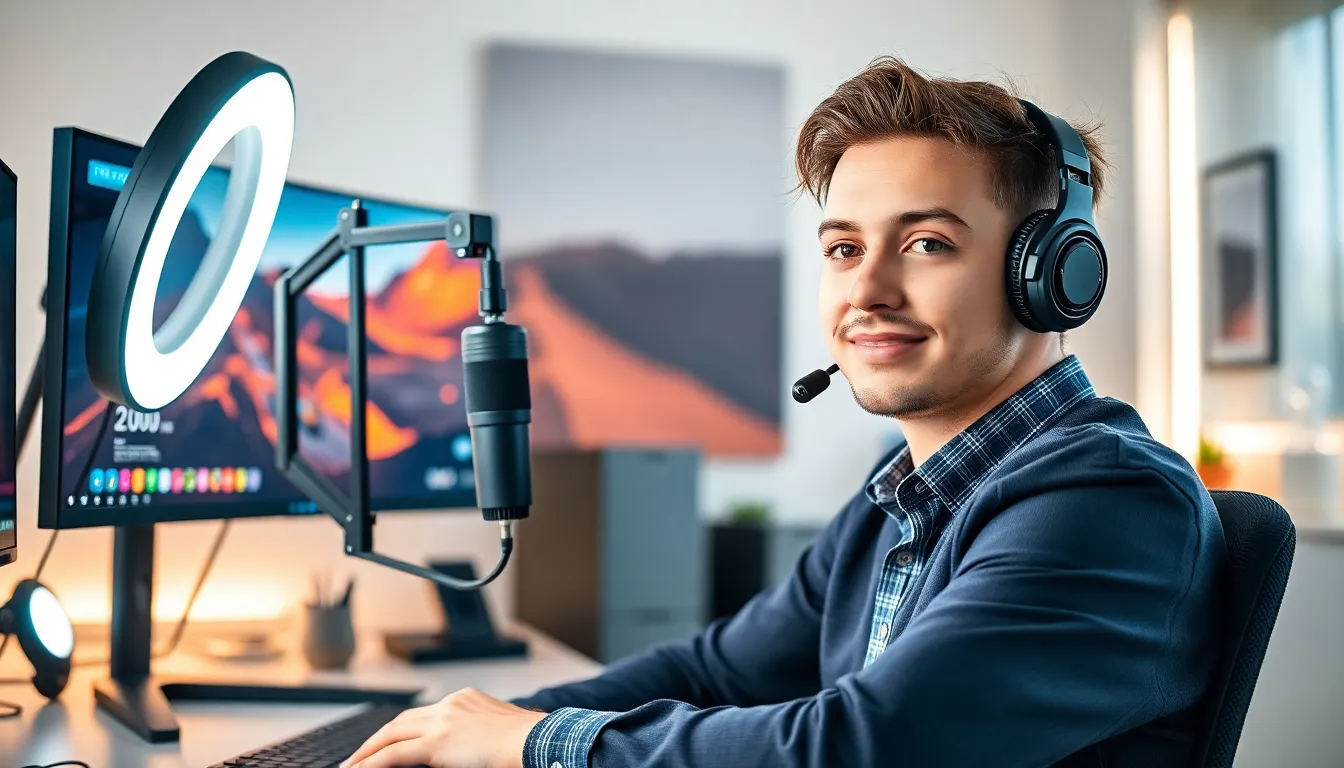
Viewers connect with faces. A 1080p webcam like the Logitech C920 or Elgato Facecam provides clear video without very costly. Lighting matters just as much as camera quality. A simple ring light or two softbox lights positioned at 45-degree angles eliminate harsh shadows and make streamers look professional.
Microphone
Audio quality often matters more than video. A USB condenser microphone like the Blue Yeti or Audio-Technica AT2020 captures voice clearly. Streamers should position the mic 6-8 inches from their mouth and use a pop filter to reduce plosive sounds.
Streaming Software
OBS Studio remains the most popular free option. Streamlabs adds user-friendly features on top of OBS. Both programs let streamers customize scenes, add overlays, and manage multiple audio sources. Learning the software takes time, but the investment pays off through smoother broadcasts.
These game streaming tips about equipment apply to beginners and veterans alike. Quality gear creates a better experience for everyone watching.
Optimizing Audio and Video Quality
Great equipment means nothing without proper settings. Streamers must configure their software to deliver the best possible quality their internet can support.
Video Settings
Bitrate determines video quality. Most streamers should target 4500-6000 kbps for 1080p at 60fps. Twitch recommends 6000 kbps as the maximum. Streamers with slower upload speeds might need to drop to 720p at 30fps with a 3000 kbps bitrate.
The encoder matters too. NVENC (for Nvidia GPUs) offloads encoding from the CPU, allowing smoother gameplay. AMD users can use VCE. Software encoding (x264) works on any system but demands more CPU power.
Audio Configuration
Streamers should set their microphone sample rate to 48kHz in OBS. Noise suppression filters clean up background sounds like keyboard clicks or AC units. A noise gate prevents the mic from picking up ambient noise during quiet moments.
Game audio and voice levels need balance. Viewers should hear the streamer clearly over game sounds. A good starting point sets voice at -6dB and game audio at -18dB. Streamers can adjust from there based on feedback.
Test Streams
Smart streamers run test broadcasts before going live. Recording locally lets them review quality without an audience. Test streams reveal audio sync issues, encoding problems, and visual glitches before they embarrass anyone.
These game streaming tips for audio and video optimization separate amateur broadcasts from professional ones. Small adjustments create big differences in viewer experience.
Building and Engaging Your Audience
Technical setup only matters if people watch. Growing an audience requires consistent effort and genuine interaction.
Talk to Your Viewers
Streamers should speak constantly, even with zero viewers. Talking through gameplay, sharing thoughts, and asking questions creates content for VODs and clips. When viewers do arrive, they find an active streamer worth watching.
Reading chat messages aloud and responding personally makes viewers feel valued. Using viewer names and remembering regular chatters builds community. Successful streamers treat their audience like friends, not numbers.
Network With Other Streamers
Collaboration beats competition. Streamers should watch and support creators at similar levels. Raiding other channels after streams introduces audiences to new content. Genuine friendships lead to co-streams and cross-promotion opportunities.
Discord servers for streaming communities connect creators with shared interests. Active participation in these spaces builds relationships that benefit everyone involved.
Use Social Media
Streams represent a small portion of content creation. Twitter, TikTok, and YouTube shorts extend reach between broadcasts. Clips from streams perform well on short-form platforms. Announcements about upcoming streams keep audiences informed.
Consistency across platforms matters. Streamers should use the same username, branding, and profile images everywhere. This recognition helps viewers find them on any platform.
These game streaming tips about audience building require patience. Growth happens slowly at first, then compounds over time as communities develop.
Creating a Consistent Streaming Schedule
A reliable schedule separates hobbyists from serious streamers. Viewers need to know when they can watch.
Pick Realistic Times
Streamers should choose times they can maintain long-term. Burning out after two months helps nobody. Three streams per week beats daily streams that stop after six weeks.
Time zones matter. Streamers targeting specific regions should broadcast during peak hours for those audiences. Analytics tools show when current viewers tend to watch.
Stick to the Schedule
Consistency builds trust. When streamers go live at promised times, viewers learn to show up. Missing scheduled streams without notice damages that trust. Life happens, but communication matters.
Streamers should post their schedule on their channel page, social media, and Discord. Reminders before streams help viewers remember to tune in.
Plan Stream Content
Random game selection confuses audiences. Some streamers focus on one game and become known for it. Others rotate through genres but announce plans in advance. Either approach works as long as viewers know what to expect.
Special events like marathon streams, charity fundraisers, or game releases create excitement. Planning these moments gives viewers reasons to mark their calendars.
These game streaming tips about scheduling require discipline. Streamers who treat broadcasting like a job often see it become one.


