
Table of Contents
ToggleGame streaming for beginners can feel overwhelming at first. Thousands of new streamers launch channels every day, yet most quit within the first few months. The difference between those who succeed and those who fade away often comes down to preparation.
This guide breaks down everything new streamers need to know. From picking the right gear to building an audience, each step matters. Whether someone dreams of becoming the next big content creator or just wants to share gaming moments with friends, this complete guide covers the essentials.
Key Takeaways
- Game streaming for beginners requires basic equipment like a decent PC or console, a USB microphone, and at least 10 Mbps upload speed to get started.
- Twitch and YouTube Gaming offer the best platforms for new streamers due to their large audiences and built-in discovery tools.
- Start streaming at 720p and 30fps to balance video quality with system performance while you learn the basics.
- Consistency beats quantity—streaming on a regular schedule three times per week helps build a loyal audience faster than random broadcasts.
- Game streaming beginners should choose mid-tier games with 1,000-10,000 viewers for better discoverability instead of competing in oversaturated categories.
- Repurpose stream highlights into short-form content on TikTok, YouTube Shorts, and Instagram Reels to attract new viewers outside of live streams.
Essential Equipment You Need to Start Streaming
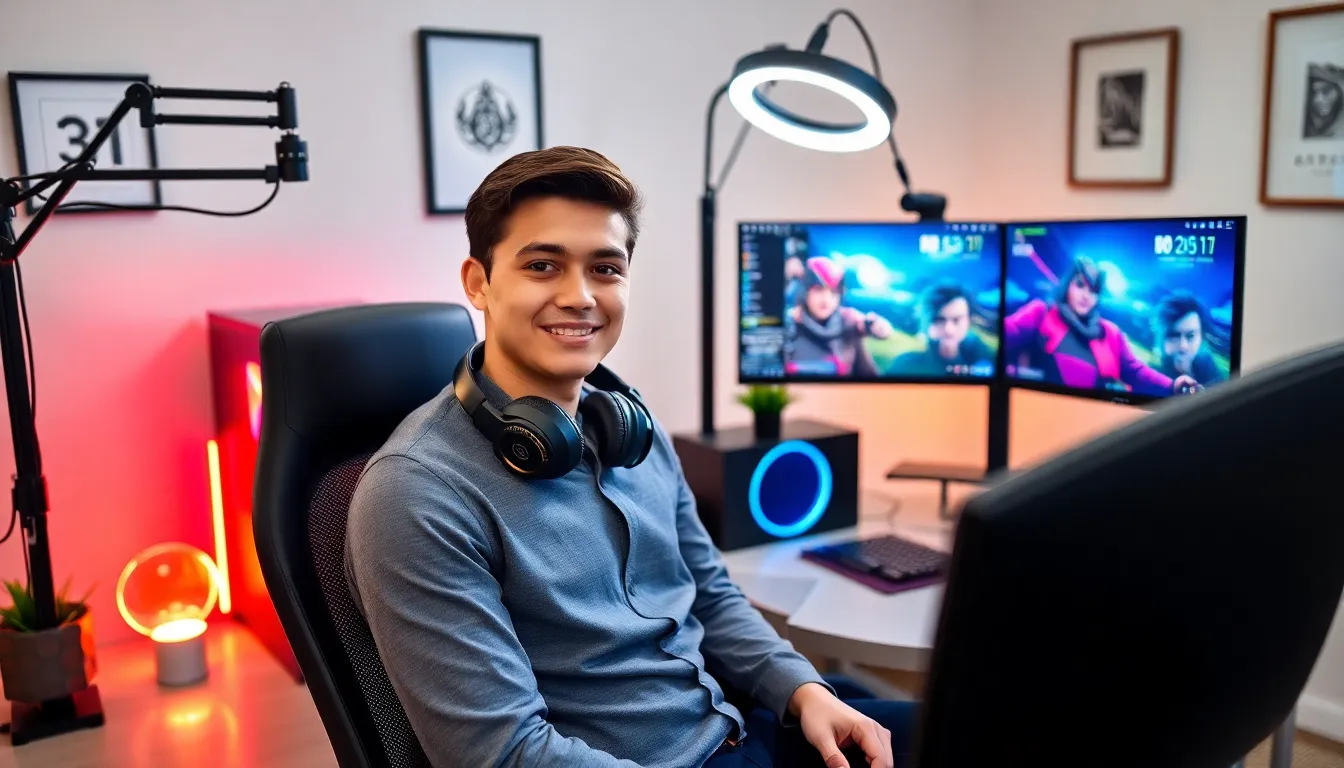
Starting a game streaming setup doesn’t require a massive budget. Many successful streamers began with basic equipment and upgraded over time. Here’s what beginners actually need.
Computer or Console
A gaming PC or console forms the foundation of any streaming setup. For PC streamers, a computer with at least an Intel i5 or AMD Ryzen 5 processor handles most games while streaming. Console players can stream directly from PlayStation, Xbox, or Nintendo Switch.
Internet Connection
Upload speed matters more than download speed for game streaming. Beginners should aim for at least 10 Mbps upload speed for 720p streams. Those wanting 1080p quality need 15-20 Mbps or higher.
Microphone
Audio quality makes or breaks a stream. Viewers tolerate mediocre video but leave quickly when audio sounds bad. A USB microphone like the Blue Yeti or Audio-Technica AT2020 provides solid quality for $100-150. Budget-conscious streamers can start with headset microphones and upgrade later.
Webcam
While not strictly required, a webcam adds personality to streams. The Logitech C920 remains a popular choice among game streaming beginners for its balance of quality and price. Some streamers skip webcams entirely and use VTuber avatars instead.
Lighting
Good lighting improves webcam quality dramatically. A simple ring light or two softbox lights eliminate shadows and make streamers look professional. This small investment often has the biggest visual impact.
Streaming Software
OBS Studio (free) and Streamlabs handle the technical side of broadcasting. Both work well for game streaming beginners, though Streamlabs offers more built-in features while OBS provides greater customization.
Choosing the Right Streaming Platform
The platform choice shapes a streamer’s entire experience. Each major option offers distinct advantages for game streaming beginners.
Twitch
Twitch dominates the game streaming space with over 140 million monthly active users. The platform offers excellent discoverability features and a dedicated gaming audience. Affiliate status unlocks monetization after reaching 50 followers, 500 total minutes broadcast, and an average of 3 viewers.
The competition runs fierce on Twitch. Standing out requires consistency and creativity.
YouTube Gaming
YouTube Gaming benefits from Google’s search engine integration. Streams get indexed and can attract viewers months after going live. Creators who already make YouTube videos find game streaming here a natural extension of their content.
Monetization requires 1,000 subscribers and 4,000 watch hours, making it harder for complete beginners.
Kick
Kick launched in 2023 and offers higher revenue splits (95/5) compared to Twitch (50/50). The platform actively recruits streamers with signing bonuses and better terms. But, the audience remains smaller than established competitors.
Facebook Gaming
Facebook Gaming works well for streamers with existing Facebook followings. The platform integrates with personal networks, making initial viewer acquisition easier. Game streaming beginners often overlook this option even though its potential.
Most beginners should start with Twitch or YouTube. Both platforms provide the tools and audience size needed to learn and grow.
Setting Up Your First Stream
Getting everything configured correctly takes time. Game streaming beginners should complete these steps before going live.
Download and Install Streaming Software
OBS Studio works on Windows, Mac, and Linux. After installation, run the auto-configuration wizard. It tests system performance and recommends optimal settings.
Configure Video Settings
Start with 720p at 30fps. This resolution looks good while requiring less processing power and bandwidth. Once comfortable with game streaming, upgrade to 1080p60 if hardware allows.
Set the bitrate between 2500-4000 kbps for 720p streams. Higher bitrates mean better quality but require faster internet.
Add Sources
Streaming software uses “sources” to capture content. Add a game capture source for the game window, a video capture device for the webcam, and an audio input capture for the microphone. Arrange these elements to create an appealing layout.
Create Scenes
Scenes let streamers switch between different layouts. Most game streaming setups include:
- A starting soon screen
- The main gameplay scene
- A just chatting scene
- An ending screen
Test Everything
Run a test stream set to private or unlisted. Check audio levels, video quality, and overall performance. Many game streaming beginners skip this step and discover problems during their first public broadcast.
Set Up Alerts and Chat
Streamlabs and StreamElements provide free alert systems. These notifications pop up when viewers follow, subscribe, or donate. Chat integration displays messages on screen, encouraging viewer interaction.
Tips for Growing Your Audience
Building an audience takes patience. Game streaming success rarely happens overnight, but consistent effort produces results.
Stick to a Schedule
Viewers return when they know when to find a streamer online. Pick specific days and times, then stick to them. Three consistent streams per week beats seven random ones.
Choose Games Strategically
Streaming the most popular games means competing with thousands of other channels. Game streaming beginners often find more success with mid-tier titles, games popular enough to have an audience but not so crowded that new streamers get buried.
Check Twitch’s browse page. Games with 1,000-10,000 viewers often provide the best opportunities for discoverability.
Engage With Viewers
Talk constantly, even with zero viewers. Future viewers watching VODs will see an engaging streamer rather than someone sitting silently. Respond to every chat message. Remember regular viewers’ names.
Network With Other Streamers
Join Discord communities for game streaming beginners. Raid other small streamers after broadcasts end. Collaborate on multiplayer games. Supporting others often leads to support in return.
Create Content Outside Streams
Clip highlights and post them to TikTok, YouTube Shorts, and Instagram Reels. Short-form content reaches audiences who might never browse Twitch. Many successful streamers credit these platforms for their growth.
Keep Improving
Watch recordings of past streams. Note what works and what doesn’t. Upgrade equipment gradually. Game streaming skills develop over time through practice and self-reflection.


