
Table of Contents
ToggleThe best gaming accessories can transform an average setup into a competitive edge. Gamers who invest in quality peripherals, audio gear, and ergonomic equipment consistently outperform those using basic hardware. This guide covers the essential gaming accessories that deliver real improvements in gameplay, comfort, and overall experience. Whether someone plays casually or competes at higher levels, the right accessories make a measurable difference.
Key Takeaways
- The best gaming accessories—including high-DPI mice, mechanical keyboards, and high-refresh-rate monitors—directly improve reaction time and accuracy.
- Quality gaming headsets with 50mm+ drivers and surround sound provide a competitive edge by enhancing spatial audio awareness.
- Ergonomic accessories like adjustable gaming chairs and wrist rests prevent strain during long sessions and help maintain peak performance.
- A 144Hz or higher refresh rate monitor with 1ms response time eliminates motion blur for smoother, more responsive gameplay.
- Cable management solutions, USB hubs, and bias lighting enhance both setup functionality and reduce eye strain during extended play.
- Controller add-ons like extended thumbsticks and back paddles improve precision for console and PC gamepad users.
Essential Gaming Peripherals for Every Gamer
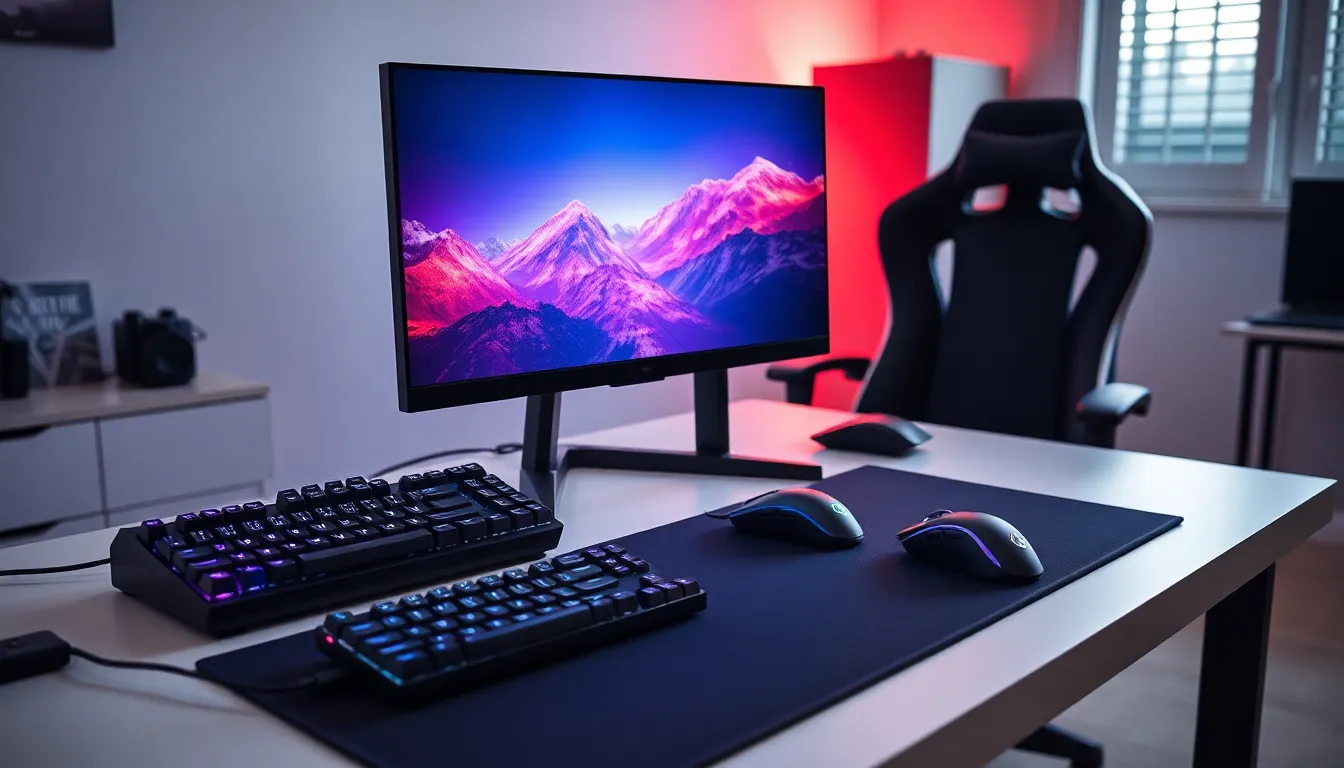
Every serious gaming setup starts with three core peripherals: a mouse, keyboard, and monitor. These components directly affect reaction time, accuracy, and overall performance.
Gaming Mice
A high-quality gaming mouse offers precision that standard mice can’t match. Look for sensors with at least 16,000 DPI and polling rates of 1000Hz or higher. Weight also matters, lighter mice (under 80 grams) reduce fatigue during long sessions. Popular choices include wired options for zero latency or wireless models with sub-1ms response times.
Programmable buttons add another layer of control. Many competitive players assign macros or weapon swaps to side buttons for faster execution.
Mechanical Keyboards
Mechanical keyboards remain the gold standard for gaming. They provide tactile feedback, faster actuation, and greater durability than membrane alternatives. Switch type matters: linear switches (like Cherry MX Red) suit fast-paced games, while tactile switches (Cherry MX Brown) work well for players who also type frequently.
Anti-ghosting and N-key rollover ensure every keystroke registers, even during complex input sequences. RGB lighting looks great, but functionality should take priority.
Gaming Monitors
Refresh rate and response time define a gaming monitor’s quality. A 144Hz display feels significantly smoother than 60Hz, and competitive players often prefer 240Hz or higher. Response times of 1ms eliminate motion blur and ghosting.
Resolution depends on GPU power. 1080p remains popular for high frame rates, while 1440p offers a balance between visual quality and performance. G-Sync or FreeSync compatibility prevents screen tearing without sacrificing frames.
Audio Gear That Makes a Difference
Sound quality affects gameplay more than many players realize. Hearing enemy footsteps, gunfire direction, and environmental cues provides a genuine competitive advantage.
Gaming Headsets
A quality gaming headset delivers clear audio separation and accurate spatial positioning. Look for models with large drivers (50mm or larger) and surround sound capabilities. Closed-back designs block external noise, while open-back options offer wider soundstages at the cost of isolation.
Microphone quality matters for team communication. Noise-canceling mics filter background sounds, and detachable booms allow flexibility. Wireless headsets have improved dramatically, top models now match wired options in latency and sound quality.
External DACs and Sound Cards
Dedicated audio hardware pushes headset performance further. External DACs (digital-to-analog converters) provide cleaner signal processing than integrated motherboard audio. Gaming sound cards often include features like voice modulation and custom EQ profiles.
These best gaming accessories particularly benefit players using high-impedance headphones that onboard audio can’t drive properly.
Desktop Speakers
Not everyone prefers headsets for every session. Quality desktop speakers with separate subwoofers create immersive single-player experiences. 2.1 systems offer good balance between cost and sound quality, while 5.1 setups deliver true surround sound for games that support it.
Comfort and Ergonomic Accessories
Long gaming sessions take a physical toll. Smart ergonomic choices prevent strain and allow players to perform at their best for longer periods.
Gaming Chairs
Gaming chairs range from budget options to premium ergonomic designs. The best gaming accessories in this category feature adjustable lumbar support, armrests that move in multiple directions, and breathable materials. Memory foam cushioning conforms to body shape over time.
Height adjustment and recline angles let players customize their position. Some chairs include footrests for relaxed play, though these work better for controller gaming than mouse-and-keyboard setups.
Desk Setup and Mousepads
Desk height affects posture significantly. Ideally, forearms should rest parallel to the floor while using a keyboard. Adjustable or standing desks offer flexibility for different preferences.
Large mousepads (sometimes called desk mats) provide consistent tracking surfaces and protect desk finishes. Extended pads that cover both mouse and keyboard create a unified look while offering ample space for low-sensitivity players who make wide sweeping motions.
Wrist Rests and Monitor Arms
Wrist rests reduce strain during typing and mouse use. Gel or memory foam options provide cushioning without raising hands too high. Some players prefer firm padding for better support.
Monitor arms free desk space and allow precise screen positioning. Adjusting monitor height so eyes align with the top third of the screen reduces neck strain. Arms also make it easier to push screens back when using controllers or watching content.
Performance-Boosting Add-Ons
Beyond core peripherals, several accessories can squeeze extra performance from existing hardware or add convenience features.
Controller Accessories
Console players and PC gamers who prefer controllers benefit from grip covers, extended thumbsticks, and trigger stops. These modifications improve control precision and reduce input time. Premium controllers with back paddles allow additional inputs without removing thumbs from sticks.
Charging docks keep controllers ready and reduce battery waste. Some docks charge multiple controllers simultaneously.
Cable Management and USB Hubs
Clean setups perform better and look better. Cable management solutions, clips, sleeves, and under-desk trays, reduce clutter and prevent tangled messes. Mouse bungees keep wired mouse cables elevated and reduce drag.
USB hubs expand connectivity options, especially for laptops or systems with limited ports. Powered hubs ensure devices receive adequate current without drawing from the computer’s resources.
Lighting and Ambiance
RGB strips and smart lighting create atmosphere and can reduce eye strain during nighttime gaming. Bias lighting behind monitors improves perceived contrast and makes screens easier on the eyes. Many best gaming accessories in this category sync with games or music for reactive effects.
Stream decks and macro pads also fall into this category. They provide quick access to commands, scenes, or applications without cluttering keyboard shortcuts.


