
Table of Contents
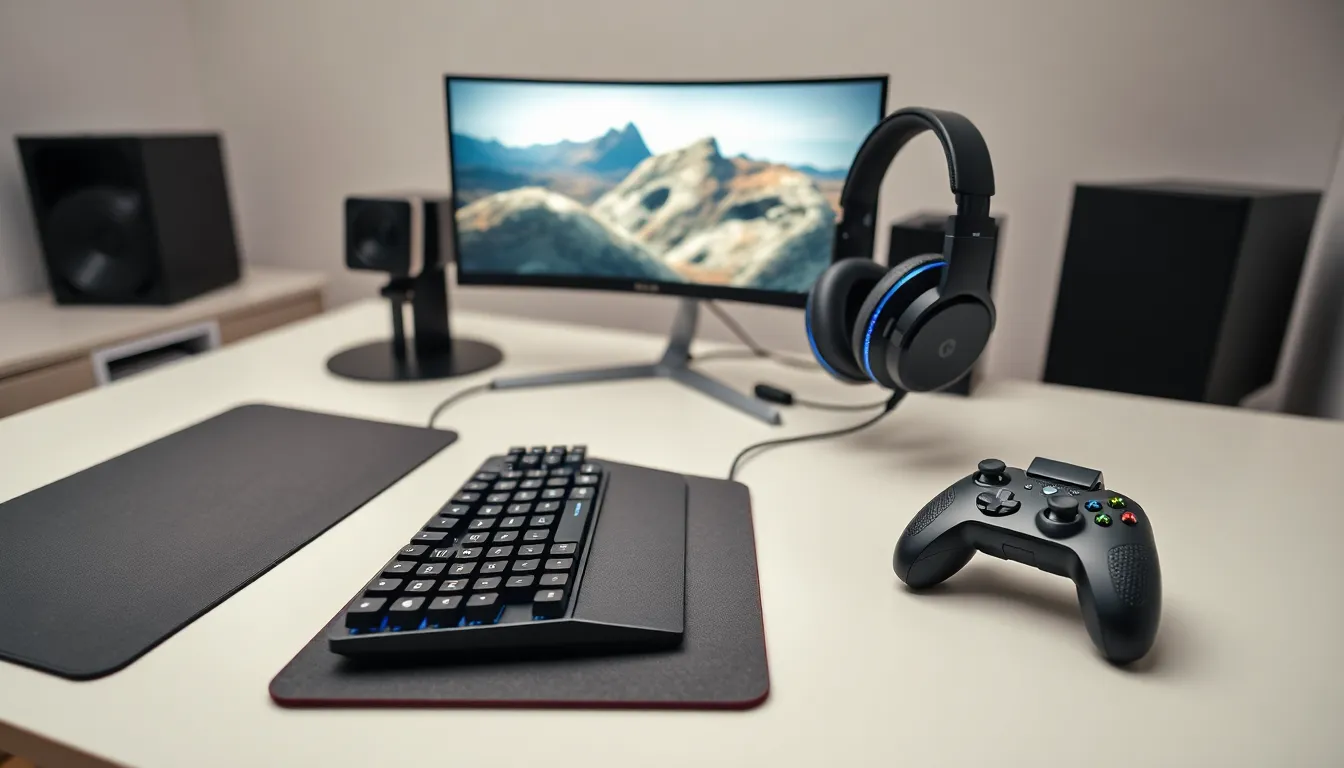
ToggleGaming accessories are the extra hardware and gear that improve a player’s experience beyond the basic console or PC setup. They include controllers, headsets, keyboards, mice, and many other devices. Whether someone plays casually or competes professionally, the right gaming accessories can make a real difference in comfort, performance, and immersion.
This guide explains what gaming accessories are, which ones matter most, and how to pick the right gear. Gamers at any level will find useful information here to help them build a better setup.
Key Takeaways
- Gaming accessories are supplementary devices like controllers, headsets, keyboards, and mice that enhance gameplay comfort, performance, and immersion.
- Essential gaming accessories include pro controllers with extra inputs, mechanical keyboards with faster response times, and high-DPI gaming mice with programmable buttons.
- Quality gaming headsets with surround sound and clear microphones improve both in-game awareness and team communication.
- Choose gaming accessories based on your platform, game genre, and budget—FPS players benefit from precise mice while racing fans should consider steering wheels.
- Investing in quality gaming accessories delivers better performance, longer lifespan, and increased comfort during extended play sessions.
- Build your gaming setup gradually by prioritizing accessories that most impact your gameplay experience.
Understanding Gaming Accessories
Gaming accessories are supplementary devices that enhance gameplay. They connect to a primary gaming system, like a PC, PlayStation, Xbox, or Nintendo Switch, and provide added functionality or comfort.
The category covers a wide range of products. Some gaming accessories improve control and precision. Others deliver better audio or visual feedback. Many focus on physical comfort during long sessions.
Here are some common types of gaming accessories:
- Controllers and gamepads – Alternative or upgraded input devices
- Gaming headsets – For immersive audio and team communication
- Gaming keyboards – Often mechanical, with faster response times
- Gaming mice – Higher DPI sensors and programmable buttons
- Mousepads – Larger surfaces optimized for fast movement
- Monitor stands and mounts – Better viewing angles and desk organization
- Controller charging docks – Convenient power solutions
- VR headsets – For virtual reality gaming experiences
Gaming accessories aren’t just about looking cool (though some definitely do). They serve practical purposes. A quality headset helps players hear enemy footsteps. A responsive mouse can mean the difference between winning and losing a firefight. Even something as simple as a wrist rest can prevent strain during marathon sessions.
The gaming accessories market has grown significantly. According to industry reports, the global gaming peripherals market exceeded $5 billion in 2024 and continues to expand. This growth reflects how seriously gamers take their setups.
Essential Gaming Accessories Every Gamer Needs
Some gaming accessories are nice to have. Others are practically essential. Here’s a breakdown of the most important gear categories.
Controllers and Input Devices
Controllers form the foundation of most gaming setups. Console gamers typically use the controller that came with their system, but aftermarket options offer advantages.
Pro controllers often feature:
- Back paddles or buttons for extra inputs
- Adjustable trigger sensitivity
- Swappable thumbsticks
- Better grip materials
- Longer battery life
PC gamers have different needs. A gaming keyboard with mechanical switches provides tactile feedback and faster actuation. Cherry MX, Razer, and other switch types each offer distinct feels. Some players prefer linear switches for gaming, while others like clicky or tactile options.
Gaming mice matter just as much. High-end gaming mice offer DPI settings above 20,000, letting players fine-tune sensitivity. Programmable buttons allow quick access to in-game actions. Wireless gaming mice have improved dramatically, many now match wired options in response time.
Audio Equipment
Sound plays a huge role in gaming. A proper gaming headset delivers clear audio cues and enables voice chat with teammates.
Key features to look for in gaming headsets:
- Surround sound – Virtual 7.1 helps locate enemies by sound
- Microphone quality – Clear voice pickup for team communication
- Comfort – Padded ear cups and adjustable headbands for long sessions
- Wired vs. wireless – Each has trade-offs in convenience and latency
Some gamers prefer separate headphones and a standalone microphone. This setup often provides better audio quality but costs more and takes up desk space.
Speakers work for single-player games or when privacy isn’t a concern. Gaming-focused speakers may include features like RGB lighting and enhanced bass.
How to Choose the Right Gaming Accessories
Picking the right gaming accessories depends on several factors. Budget matters, but so do play style, game preferences, and platform.
Consider the platform first. PC gamers need different gaming accessories than console players. A mechanical keyboard won’t help on PlayStation. Some accessories work across platforms, while others are system-specific.
Match accessories to game genres. FPS players benefit most from high-DPI mice and quality headsets. Racing fans should look at steering wheels and pedals. Fighting game enthusiasts often prefer arcade sticks. MMO players might want mice with many programmable buttons.
Set a realistic budget. Gaming accessories range from $20 mousepads to $500 VR headsets. Start with the gear that affects gameplay most. A good headset often provides more value than flashy RGB lighting.
Read reviews and watch comparisons. YouTube and Reddit offer honest feedback from actual users. Professional reviews test features like latency, build quality, and durability. Look for patterns across multiple sources.
Check compatibility. Not all gaming accessories work with every system. Verify that a product supports the platform before buying. Wireless devices may need specific receivers or Bluetooth versions.
Think about ergonomics. Comfortable gaming accessories reduce fatigue and prevent injury. Keyboard wrist rests, ergonomic mice, and adjustable monitor arms all support healthier play.
Don’t feel pressured to buy everything at once. Many gamers build their setups gradually, upgrading one piece at a time.
Benefits of Quality Gaming Accessories
Investing in good gaming accessories pays off in multiple ways.
Better performance. Higher-quality gaming accessories respond faster and more accurately. A gaming mouse with a 1ms polling rate registers clicks almost instantly. Mechanical keyboards actuate quicker than membrane alternatives. These small improvements add up, especially in competitive games.
Increased comfort. Long gaming sessions take a physical toll. Quality gaming accessories feature better ergonomics. Memory foam ear cushions, textured grips, and adjustable components help players stay comfortable for hours.
Greater immersion. Good audio pulls players into the game world. A headset with accurate spatial audio makes horror games scarier and action games more exciting. VR accessories take immersion to another level entirely.
Longer lifespan. Cheap gaming accessories often break within months. Quality products last years. Mechanical keyboards, for instance, are rated for tens of millions of keystrokes. The upfront cost spreads across a much longer useful life.
Customization options. Premium gaming accessories let players adjust settings to their preferences. Software suites allow button remapping, lighting control, and sensitivity profiles. This flexibility helps players optimize their setup for different games.
Social benefits. A working microphone and clear audio make online gaming more enjoyable. Team communication improves with quality headsets. Some gaming accessories, like capture cards, even enable streaming and content creation.


