In the world of streaming, having the right equipment can make or break a broadcast. Imagine setting up for your big debut only to realize you forgot the essential mic or that fancy green screen. Talk about a facepalm moment! Whether you’re a seasoned pro or just starting out, a solid stream equipment checklist is your best friend.
Importance Of A Stream Equipment Checklist
A stream equipment checklist ensures that streamers don’t overlook critical items necessary for a successful broadcast. Forgetting essential tools, such as a microphone, camera, or lighting, can negatively affect the stream’s quality. This risk applies to both experienced streamers and novices.
Improved organization comes from utilizing a checklist. Streamers can quickly reference items to confirm that all equipment is ready before going live. Such preparation minimizes stress on broadcast day, allowing streamers to focus more on their content.
Efficiency often increases through the repeated use of a checklist. Streamers develop a routine that streamlines their setup process. Efficiency not only speeds up preparation time but also enhances overall productivity.
Accessibility also improves with a checklist. Each item on the list corresponds to specific tasks or equipment that streamers need to check, ensuring that nothing is missed. This structured approach prevents last-minute scrambles for necessary gear.
Moreover, confidence builds as streamers rely on their checklist. Knowing that they’ve verified each item allows them to enter their streaming session with greater assurance. Confidence can translate into a more engaging performance for viewers.
Lastly, equipment longevity can benefit from an organized review process. Regular checks foster proper maintenance, extending the life of expensive gear. By addressing potential issues early, streamers avoid costly replacements and enhance their overall streaming experience.
Essential Equipment For Streaming
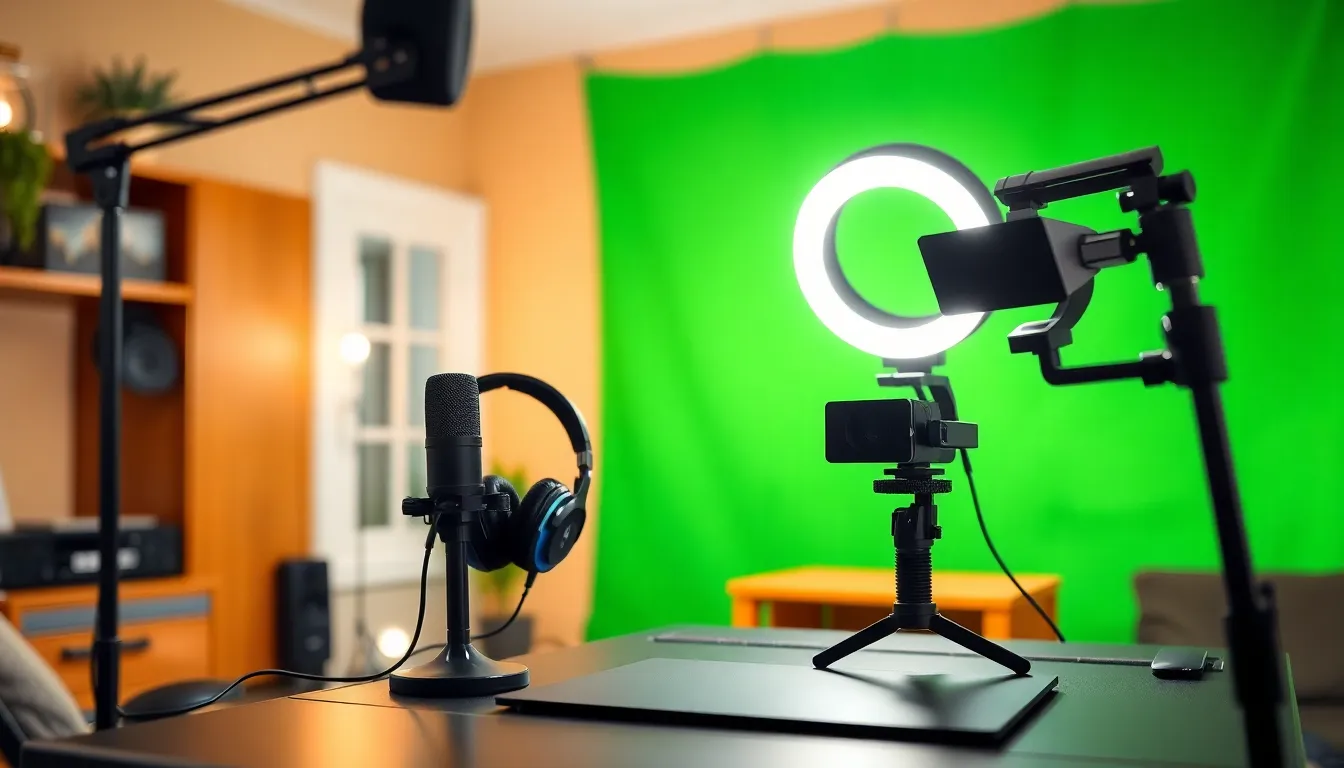
Having the right tools enhances streaming quality significantly. Essential equipment includes audio and video gear along with reliable software.
Audio Equipment
Microphones serve as the core component of audio equipment. Streaming setups often utilize condenser microphones for clarity. USB microphones offer convenience for beginners by connecting easily to computers. Headphones help streamers monitor audio levels effectively, ensuring sound quality remains high. Audio interfaces, particularly for high-end microphones, enhance sound input with professional-grade clarity. Using pop filters minimizes unwanted noise, improving audio output during live streams. Soundproofing materials can also be valuable, reducing external noise interference during broadcasts.
Video Equipment
Cameras form the backbone of video quality. For optimal results, web cameras provide high-definition video tailored for streaming. DSLR cameras can elevate video quality further, delivering professional-grade images. Tripods stabilize camera positioning, preventing shaky footage. Lighting equipment, like softboxes or ring lights, ensures visibility and minimizes shadows on the streamer’s face. Green screens enhance backdrops, allowing for customizable streaming environments. Capture cards facilitate gameplay streaming from consoles, ensuring smooth video transmission to the streaming platform.
Streaming Software
Streaming software acts as the control center for broadcasts. OBS Studio remains a popular choice due to its flexibility and wide range of features. Streamlabs OBS caters specifically to gamers, offering integrated alerts and donation tracking. XSplit caters to both novice and experienced streamers, allowing for easy scene transitions. These programs enable the addition of overlays for improved viewer engagement. Some software includes built-in chat integration, connecting chat directly into the streaming interface. Compatibility with various platforms and customization options enhances the overall streaming experience.
Setting Up Your Streaming Station
Creating a dedicated streaming station ensures a smooth broadcasting experience. Properly organizing your workspace and addressing connectivity needs plays a crucial role in successful streaming.
Workspace Organization
A clutter-free workspace enhances focus during streams. Placing essential equipment, like microphones, cameras, and lighting, within reach promotes efficiency. Streamers should invest in cable management solutions to prevent tangles. Organizing gear into specific sections, such as audio or video equipment, simplifies quick access during setup. Labeling drawers or storage containers further streamlines the process. A comfortable chair and sturdy desk improve ergonomics and allow for longer streaming sessions without discomfort.
Connectivity Requirements
Reliable internet is critical for smooth streaming. A wired connection through an Ethernet cable offers stability over Wi-Fi. Streamers need to check their upload speed; at least 5 Mbps is recommended for high-quality streams. Additionally, a good router ensures stable performance during broadcasting. Properly configuring streaming software also improves connection quality. Equipment depends on compatible ports, so verifying connections for cameras, microphones, and other devices avoids technical issues. Consider backup options, like a mobile hotspot, to mitigate connectivity problems during live broadcasts.
Maintenance Tips For Streaming Equipment
Regular maintenance of streaming equipment ensures longevity and reliability. Start by cleaning microphones and headphones with a soft, dry cloth to remove dust and debris. Check cables and connections for wear and tear; replacing damaged cables prevents signal loss and audio issues.
Keep cameras clean as well. Use a microfiber cloth to gently wipe lenses and ensure clear video quality. Consider storing cameras in a protective case when not in use to shield them from dust and impact.
Updating streaming software is essential. Installing the latest version enhances performance and security features. Regularly test your setup before a live stream to catch any technical issues. Adjust settings according to the latest software updates for optimal streaming quality.
Monitor equipment temperature during use. Overheating can damage components and disrupt broadcasts. Use fans or ensure proper ventilation around equipment to maintain a safe operating temperature.
Backup content storage and settings; saving files to multiple locations prevents loss in case of hardware failure. Regularly back up configuration settings to streamline recovery in the event of issues.
Lastly, keep an eye on all connected devices. Observing their performance and updating drivers when necessary helps maintain a seamless streaming experience. Following these maintenance tips ensures that streaming equipment remains effective and dependable throughout broadcasts.
Having a well-prepared stream equipment checklist can make all the difference in delivering a seamless streaming experience. It not only helps in organizing essential gear but also boosts confidence and reduces last-minute stress. By ensuring that everything is in place before going live, streamers can focus on engaging their audience rather than worrying about forgotten items.
Regular maintenance and proper setup further enhance the reliability of streaming equipment, allowing for smoother broadcasts. Ultimately, a thoughtful approach to equipment preparation and care leads to more successful and enjoyable streaming sessions. Embracing these practices will empower streamers to elevate their content and connect more effectively with their viewers.